Home/Articles/Native app vs web app
Native event app or a DIY web app?
What your festival actually needs
AI tools can now build a tidy event web app in an afternoon, for free. That is genuinely useful. But a festival is a hard place for a web page: patchy signal, thousands of phones, plans that change on the day. This is what a native app from the App Store and Google Play does differently — and when a web page is all you need.
The short answer
If your event is a few hours at one venue, everyone has good reception, and patrons only need the times and the address, a web page is enough. Build one, or use the one you have.
If your event runs across several stages or days, sits somewhere with patchy mobile coverage, or has a program patrons plan around and change their minds about, a native app does things a web page can't do reliably. The rest of this article is the detail.
What's the difference, in practice?
A web app is a website designed to feel like an app. It lives at a web address and runs inside the phone's browser. Tools like Lovable and other AI app builders make these quickly and well.
A native app is installed from the App Store or Google Play. It runs directly on the phone, keeps its own copy of your program, and can use the phone's own features — notifications, location, the share sheet — without the limits a browser puts on a website.
Both can look the same on a screenshot. The differences show up in a paddock with one bar of signal at 9pm on a Saturday.
Where a native app earns its place
It still works when the signal doesn't
Festivals happen in fields, valleys, showgrounds and country towns. Even in the city, a crowd of thousands on one mobile tower can slow data to a crawl. A web page that has to fetch the program each time it opens will spin, or show nothing.
The Moment app keeps a copy of the festival's program, venues and map on the phone. Once a patron has opened it, the schedule is there whether or not they have reception. At Off-Grid Living Festival in rural Chiltern, Victoria, patrons who lost signal in parts of the grounds still had the schedule, the map and the venue information across all 18 venues.
A web app can be built to work offline, but it takes deliberate work, and most quick builds don't do it.
Reminders that reach the phone
In the Moment app, a patron taps the bell on an act and gets a notification shortly before it starts. It arrives on the lock screen like any other app's notification, even when Moment isn't open.
Websites can send notifications too, but with limits. On an iPhone, a website can only send them after the patron has added it to their home screen and then agreed to notifications — a step most people never take. For many festivals, iPhones are a large share of the crowd.
"Where am I?" on the festival map
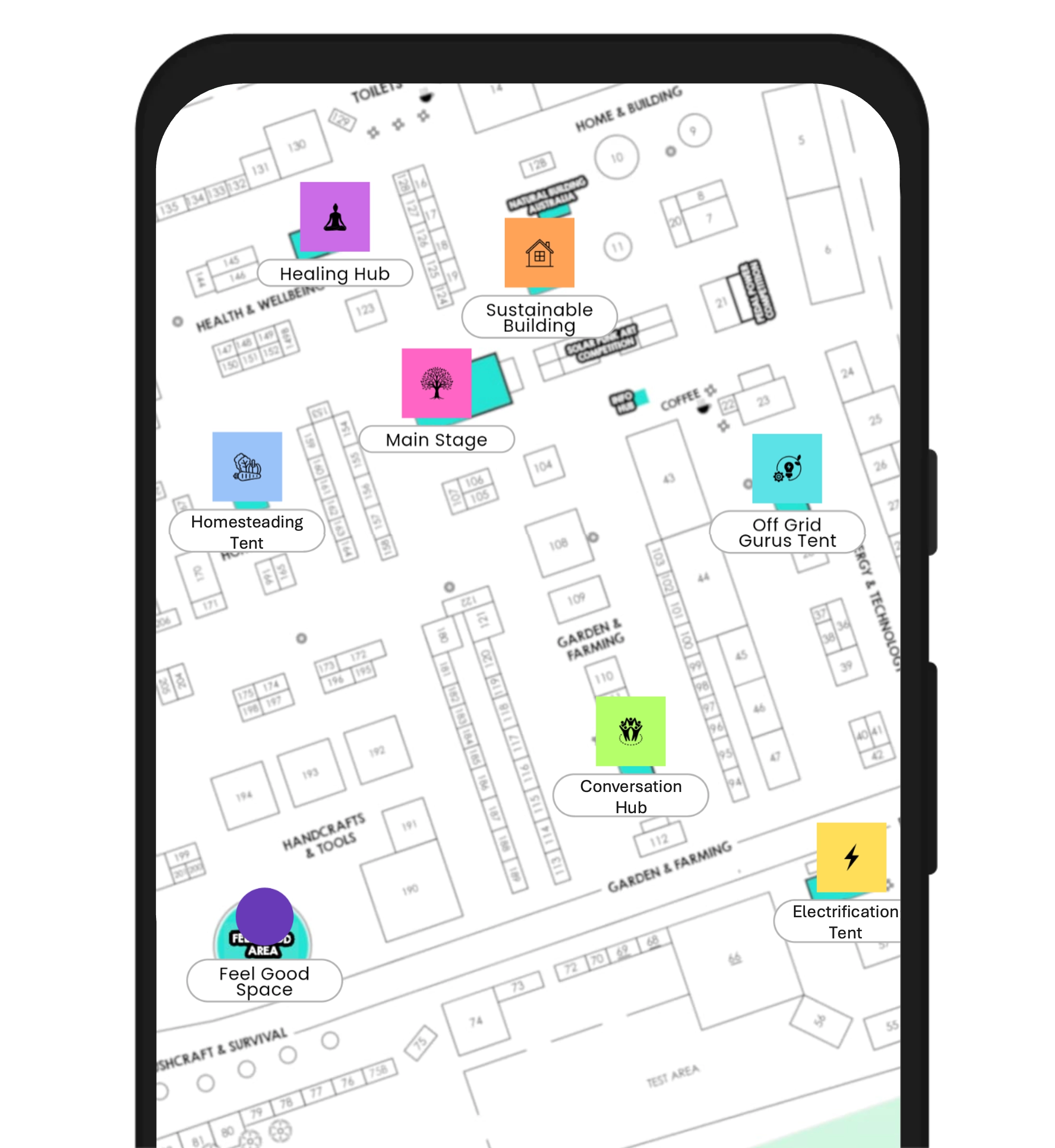
At a spread-out festival, the map is the feature patrons come back to. The Moment app shows patrons where they are on the festival map, alongside your stages and venues. At Peak Festival, eight stages sit across the Perisher alpine village, and the map is the feature patrons use most.
Patrons can also mark their own spots — the campsite, the car — and find their way back to them after dark. A web app can ask for location too, but a quick build usually drops a pin on a plain street map rather than your site with your venues on it.
It opens where they left off
Patrons open the app dozens of times over a weekend, usually for a few seconds: what's next, where is it, how far. The Moment app opens straight back into your festival, with the acts they've highlighted still highlighted. There's no address to retype, no search result to find again, no browser tab that has been quietly closed.
On the home screen, next to their other apps
An installed app has an icon on the home screen. That is where patrons look when they want something quickly. A web page lives in a browser tab or a bookmark, which is where things get lost.
From the App Store and Google Play
Patrons already know how to install an app, and they trust the stores to have checked it. "Download Moment from the App Store" is a clear instruction to put on a sign, a ticket email or the back of a wristband. When patrons share an act with a friend, the link opens straight to that act in the app.
Smooth with a big program
A native app draws lists and maps with the phone's own components. Scrolling a 300-item program, searching it, or pinching around a detailed site map stays smooth, and the app isn't downloading the whole page again each time it opens — which matters on a phone that has to last the day.
Side by side
| Quick web app | Native app (Moment) | |
|---|---|---|
| Poor or no signal | Usually needs a connection each time it opens | Program, venues and map kept on the phone |
| Reminders | Limited, especially on iPhone | Lock-screen notification before a chosen act |
| Your location on the map | Possible; usually a plain street map | On the festival map, with your venues |
| Reopening | Back to the browser, find the tab | Opens into the festival, highlights kept |
| How patrons get it | A web address or QR code | App Store, Google Play, or a shared link |
| Cost and effort to build | Low — often free with AI tools | A per-event price; the builder does most of the work |
When a web page is enough
It's worth being straight about this. A native app is more than some events need.
- A single-session event at one venue, a few hours long.
- An event where everyone is indoors with good wi-fi or reception.
- Information patrons read once — directions, parking, what to bring — rather than a program they return to all day.
- Early promotion months out, before patrons need anything on the day.
A good web page is also the right place for people who won't install anything. A Moment festival has a link that opens the program in a browser as well, so the patron who refuses to download an app still gets the schedule.
Do I need an app for my festival?
A few questions that usually settle it:
- Is there more than one stage, or more than one day? Patrons will plan, and change the plan. That is what an app is for.
- Is reception reliable across the whole site? If you're not sure, assume it isn't at peak times.
- Will patrons need to find their way around? A map with your venues on it, that works offline, is hard to replace.
- Do you print a program? Off-Grid Living Festival replaced its printed program with the Moment app.
Two or more yeses, and a native app is worth it.
Getting a native app no longer means a long build
The old trade-off was that a web app was quick and a native app was a project. That has changed. The Moment builder is itself an AI app creator: paste your event's website, sign up, and it builds your festival in the Moment app while you sign in. You can keep adjusting it by asking — "make the background blue", "add these artists". How it works, step by step →
Build your festival's app
Paste your event's website and we'll build your app while you sign up.